


WP News
3.03.00 Reviews
App Specs
- Version
- 9.3.2
- Updated On
- License
- Free
- Downloads
- 50,000+
- Developer
- FUNKE MEDIENGRUPPE
- Categories
- News & Magazines
- Platform
- Android
Screenshots

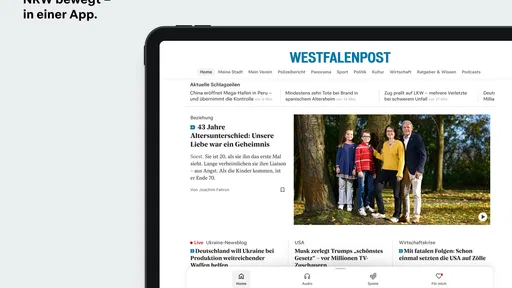
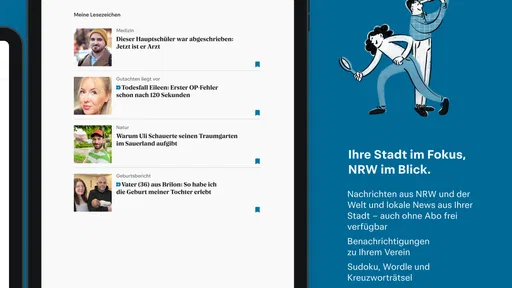
 Analysis by AppCompare
I tend to judge a news app less by how many headlines it can squeeze onto a screen and more by whether I can check what matters, then get back to my day. WP News is aimed at readers who want Westfalenpost coverage alongside news from further afield, rather than a feed built solely around national or international stories. That regional emphasis gives it a practical role: it can be a familiar place to start the morning, keep an eye on local developments, and dip into broader topics when there is time.
A regional starting point, not a replacement for every source
Because WP News comes from FUNKE MEDIENGRUPPE and sits in the news and magazines category, I would approach it first as a publisher’s app, not as a neutral hub that promises to represent every newsroom equally. Its local connection is the clearest reason to choose it over a large general-purpose news aggregator. If you live in or follow the Westfalenpost’s area, regional reporting may be more useful to your routine than another feed dominated by national headlines.
That focus also shapes who may find it less suitable. If you want a broad, customizable digest drawing on many publications, a multi-source aggregator may be a better fit. I would also avoid relying on any single news app as my only view of a complicated story. A regional publication can be valuable for nearby context, while a second source helps you compare framing and see how a developing issue is being covered elsewhere.
How it fits into an ordinary day
A realistic use for this app is a quick check over breakfast: scan for a local story that could affect your plans, save a longer read for later, and leave the more involved reporting for a quieter moment. On a commute, I would use the same routine in reverse—open a saved article when I have a few minutes, then return to the main feed when I have a connection. That is a more useful way to think about offline reading than expecting it to turn the app into a complete travel-proof newspaper.
One helpful habit is to treat notifications as prompts rather than as a running commentary on the whole news cycle. Breaking-news alerts can be useful when a significant event matters to you, but too many interruptions quickly become background noise. I would keep them only if they make me open an important story I might otherwise miss; if I find myself dismissing them automatically, switching them off is likely to make the app more useful, not less.
Reading choices and useful trade-offs
The combination of articles, images, and video gives stories more than one way to hold attention, but it also changes how I would use the app in different settings. Text is the sensible choice when I am checking headlines in a quiet gap or trying to use less mobile data. Video is better saved for a moment when I can listen or watch without rushing. I would not assume every story needs the multimedia treatment; the strongest reason to open a news app is still whether its reporting helps explain what happened.
Bookmarks can work as a small reading queue rather than a permanent archive. I would save a longer explainer or a story I want to discuss, then clear it once I have read it. That simple routine keeps saved items useful and avoids turning them into a second, forgotten feed. If an article is time-sensitive, I would check it sooner rather than assume a bookmark will preserve its relevance.
Worth Reading Before You Choose

EA SPORTS FC Mobile 26 Is a Bigger Football Game, but It Takes Time

Flipboard Shows What News Apps Must Do Beyond the Feed

Switching to Android Auto Means Rethinking Your Driving Routine

Google Calendar Makes a Crowded Week Easier to Manage

Ludo King Makes the Most of the Minutes Between Plans

Baby Panda World Brings Quick Play to Modern Phones, but Its Game Library Feels Busy
Offline access has a similar practical boundary. Downloading an article before leaving a reliable connection can help on a train or in a place with patchy reception, but it is worth preparing ahead instead of waiting until the signal drops. For someone who reads on the move, that small change in timing can make the feature more dependable. It is less useful for following a fast-changing story, where new details may appear after the saved copy was retrieved.
What to expect from the app’s pace
In my experience, the app felt responsive during ordinary reading, with no obvious waiting or interruption in the sessions described here. That is a welcome baseline for a product meant for short visits throughout the day. Still, speed is not the same as guaranteed reliability in every situation: news feeds depend on a working connection, and a busy network or weak signal can affect how quickly current material appears. I would distinguish that from the app itself freezing rather than assume every delay has the same cause.
For heavier use—moving between several stories, viewing media, and saving pieces in one sitting—I would keep expectations practical. Those activities can involve more loading than simply scanning a list of headlines. If the app feels slower on a particular connection, reading text first and leaving video for later is a sensible workaround. I would also reopen the feed when I want the latest information instead of treating an older screen as live coverage.
Reliability, recovery, and everyday limits
No app can make a developing story complete at the moment it first appears, so I would use alerts as a way into coverage rather than as the whole account. When a headline has real consequences, opening the article and checking for later reporting is more useful than reacting to a notification alone. If a session is interrupted, saved articles and bookmarks offer a way to resume reading, though I would not confuse that convenience with a guarantee that every saved item will stay current.
The app is free to install, while in-app purchases are listed at $4.99 to $7.99 per item. That matters if you are deciding whether to make it part of a regular reading routine: I would first try the free experience and pay attention to which content or options are actually useful to me before spending anything. The average rating is 3.0 from around 190 ratings, with three written reviews, so I would treat that score as a modest signal rather than a complete verdict. It does not tell me whether the app will suit my reading habits, but it is a reason to try it for myself instead of assuming universal approval.
Who is likely to get the most from it?
I would recommend giving it a look if Westfalenpost’s regional coverage is relevant to your life and you want a convenient way to read that reporting on a phone. It also makes sense for occasional readers who prefer to save an article and return when they have time, rather than keep a constant stream of headlines open. The Teen content rating is another useful point for households deciding whether the app is appropriate for a younger reader, though adults should still use their own judgment about the stories they choose to discuss or follow.
On the other hand, readers who want one app to compare a wide range of publishers, build a highly tailored cross-outlet briefing, or replace a dedicated source for every subject may be happier with an aggregator or specialist publication. WP News is strongest when its regional connection is an advantage, not when it is asked to be everything. The current version is 9.3.2, and the app has been available since December 4, 2013; those details give useful context, but I would still judge it by how comfortably it fits my actual routine.
First Impressions: A Sleek and Friendly Design
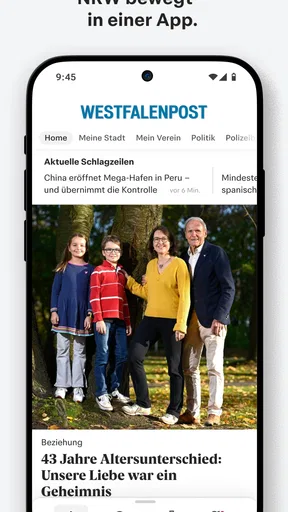
When I first fired up WP News, I was struck by its clean and intuitive interface. It feels like the app knows exactly what you want before you even ask. The layout is straightforward, with everything neatly organized, making it easy for anyone to navigate without a hitch. Whether you're a tech-savvy guru or someone who’s just getting started with news apps, this one is user-friendly.
Customization and Personalization
One of the standout features of this app is its customization options. You can tailor the news feed to suit your interests, ensuring you’re getting the latest updates on what matters most to you. From sports to politics, tech to entertainment, you can choose from a wide array of categories to fill your feed. Trust me, it’s like having your own personal news editor.
The app also allows you to set notifications for breaking news, so you never miss out on crucial updates. I found this feature super handy, especially during busy days when I didn’t have much time to check the app constantly. A gentle nudge for significant events? Yes, please!
Rich Content and Reliable Sources
One of the things I love about WP News is its commitment to providing rich content from reliable sources. The app aggregates news from a variety of reputable outlets, ensuring you’re getting high-quality information. Plus, the articles are well-written and engaging, making it a pleasure to stay informed.
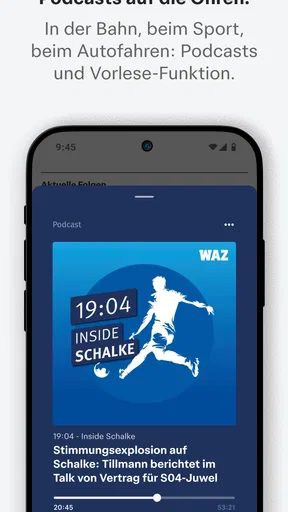
Not to mention, the app supports multimedia content, so you’re not just limited to reading articles. You can watch videos and view images related to the news stories, offering a more immersive experience. It’s like having a mini newsroom in your pocket!
Offline Reading and Bookmarking
Ever been in a situation where you’re stuck somewhere without internet, and you wish you had something to read? Well, WP News has you covered with its offline reading feature. You can download articles to read later, which is perfect for those times when you're on the go or just want to save some data.
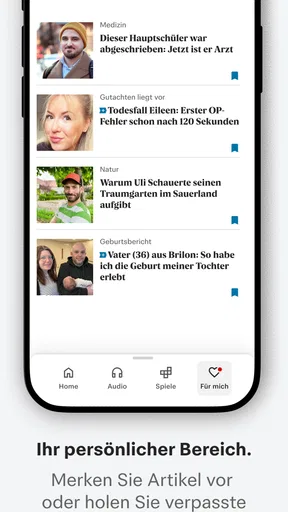
Additionally, the bookmarking feature allows you to save articles that catch your interest. Whether it’s a deep dive into a topic or a breaking news story you want to revisit, you can easily access it whenever you want.
Seamless Performance
Let's talk about performance. While using the app, I was impressed by its speed and seamless operation. There were no noticeable lags or crashes, and everything loaded quickly. This kind of reliability is a huge plus in my book, as nothing is more frustrating than an app that freezes or takes forever to load.
The app also has a light footprint, meaning it doesn’t take up much space on your device. This is ideal for those of us who are constantly juggling storage space on our phones.
Final Thoughts: Is WP News Worth It?
All in all, WP News offers a fantastic experience for anyone looking to stay informed with ease and style. Its combination of customization, rich content, and reliable performance makes it a standout choice in the crowded world of news apps. Whether you’re a news junkie or a casual reader, this app is definitely worth checking out.
If you've been on the hunt for an app that delivers personalized news without the fuss, give WP News a try. It’s like having a personalized news feed that’s always ready to keep you in the loop. Happy reading!
Pros
- User-friendly interface for easy navigation.
- Real-time updates keep content fresh.
- Customizable news feed preferences.
- Offline reading mode is available.
- Low data usage for efficient browsing.
Cons
- Contains occasional intrusive ads.
- Limited international news sources.
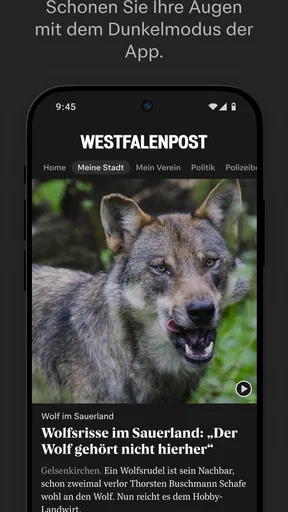
- No dark mode option available.
- Requires account for full features.
- Notifications can be overwhelming.
FAQs for WP News
What is WP News, and what does it offer?
WP News is a comprehensive news application that aggregates articles from various reliable sources, providing users with up-to-date news on a wide range of topics. The app offers personalized content based on user preferences, offline reading capabilities, and real-time notifications to keep you informed at all times.
How do I customize my news feed in WP News?
Customizing your news feed in WP News is easy. Upon signing up, you can select your preferred topics and sources. The app's intuitive interface allows you to adjust these preferences anytime, ensuring your feed remains relevant to your interests. Additionally, you can follow specific journalists or sections for a more tailored experience.
Is WP News available on both Android and iOS platforms?
Yes, WP News is available for download on both Android and iOS platforms. You can find it in the Google Play Store for Android devices and the Apple App Store for iOS devices. The app is designed to provide a seamless experience across both operating systems, ensuring accessibility for all users.
Does WP News require a subscription or is it free to use?
WP News offers both a free version and a premium subscription. The free version provides access to a wide range of content, while the premium subscription offers additional features like ad-free browsing, exclusive content, and advanced customization options. Users can choose the plan that best suits their needs.
Can I access WP News content offline?
Yes, WP News allows users to save articles for offline reading. This feature is particularly useful for those who want to catch up on news without an internet connection, such as during commutes or travel. Simply mark articles to read later, and access them anytime from your saved articles section.


